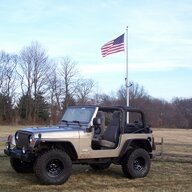
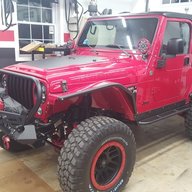
Sab-a-dab-a-doo! The back-country LJ build has officially started

Have you been drying your filaments? I was religious about that at first, but since, I just run them fresh from the bag.

But - with this issue, maybe try running your next roll through the printer's drying cycle.

Yeah, I did dry the filaments for 12 hr just before starting the prints. The RH in the AMS during the print was in the single digits.
 
  • Like
Reactions: FarFire70
It's a fair point. They're 3" discs - so not as heavy at a 4-45" (especially when compared as a stack). But I did pick up a 25pk (which I've since misplaced - of course — likely in with all the Christmas gifts I haven't wrapped yet 😄 ).

I was more thinking of the smoothness of the shaft when orienting - but you make an interesting point that I could have printed it 90* shifted so the layers ran along the shaft.

One of the reason I did go with the Gyroid is that I've liked how it fills internally vs the default grid. When I looked at the layer, the grid in-fill left a very weak looking build.

I'm also hopeful PETG-HF will hold up more in the garage environment (cold/hot cycles of the seasons) - but that only helps so much about your point on the orientation of the layers.

Time will tell. I will be sure to share if it does prove faulty.

I brought that up because one of my first prints relied on that same layer shear strength and it failed miserably. I scratched the old noggin’, looked at it, and realized why it broke. Re-orienting it fixed that problem. However, it just depends on the strength required. Strong enough is strong enough, right?
 
The fun part is, if it isn't strong enough and breaks, you can just make a new one!

100%

I have printed off so many custom parts for the garage - especially tool organization/storage. Many I've designed. I love this capability.

I brought that up because one of my first prints relied on that same layer shear strength and it failed miserably. I scratched the old noggin’, looked at it, and realized why it broke. Re-orienting it fixed that problem. However, it just depends on the strength required. Strong enough is strong enough, right?

I like the feedback! I took no offense.

Honestly, that shear-effect hadn't crossed my mind but it should have. So I'll have your voice in my mind next time I do a weight-bearing print 😄.

This is why we forum - to get feedback from others.

We'll see if it's strong enough - can't do even an initial test until I find that elusive box of disc 😄
 
This is very surprising. I've never had an issue like this with the Bambu PETG HF.

The only thing I've had come close was where that last later between the trees and the 'keep' surface pulled a couple strands of the 'keep' material when it came off. You seem to have the opposite that it won't release.


Same. I never go intricate with my settings either.

———

Here's a model that I pulled off the printer about 20 minutes ago. Bambu X1C printers with the textured PEI plate (no other adhesives, glues, etc - just the plate as it came from Bambu, after a wash with soap & water).

View attachment 661398


5 minutes with a mini needle nose pliers


View attachment 661403

Edges will clean up more when I touch them up with a razor blade.

It's a wall-mounted 3" cut-off wheel holder for blades for my new M12 tool - so it has a 10* cant to it. But I wanted the shaft to print straight for the discs to slip on/off smooth.

View attachment 661402

My settings:

View attachment 661400

My only other change to the default settings is changing to Gyroid infill pattern. Everything else is default.

Just wanted to share that PETG HF supports can come off very clean and easy.

——

I recommend trying the above settings - and don't print the entire box. Cut down your model in CAD to an inch or so below and 0-5-1 inches above the overhangs. Then print.

That way you can isolate and test before burning through more filament rolls.

Also - is the white supposed to be one of those 'release' materials? If so, maybe try a run like I mentioned above with all PETG-HF and see how it comes out.

I've never messed with any settings either other than type. I prefer the tree to whatever the other option is.

If the slicer says I need supports and can't re-orient the part to eliminate them (first choice) then I click enable and make sure it's set on tree.
 
I've never messed with any settings either other than type. I prefer the tree to whatever the other option is.

If the slicer says I need supports and can't re-orient the part to eliminate them (first choice) then I click enable and make sure it's set on tree.

In reading the Bambu wiki on support (I've read them all - several times), the recommendation is to use tree supports for oddly-shaped objects needing support, but for a part with large rectangular overhangs, like the one I've designed, the recommendation is to use normal or hybrid. I think Bambu's logic also applies hybrid support when a support filament is used because it's supposed to not bond as well. So far, I've let Bambu Studio choose the support options, but obviously, it ain't workin'.

For some reason, with my prints, the support bonds are very strong. There are many settings that can be tweaked to help, but I've only begun the learning curve, and if you recall, this was a learning curve I was happy to ignore by choosing Bambu for my printer. I think I've found one limitation of Bambu's software...

I'm confident I'll work through this issue through a combination of part re-design and tweaking settings in Bambu Studio. I'm just not happy with how long it's taking to design and build this "simple" part. I definitely didn't think I'd eat up a month of build time on this one thing, but I'm headed in that direction, which is the way my build goes. I hope I get it done before they haul my carcass off to the dump... 😭
 
I have printed off so many custom parts for the garage - especially tool organization/storage. Many I've designed. I love this capability.

This is my plan - eventually. The reason I bought a bunch of red and yellow PLA during these Bambu sales is that I want to find a suitable drawered cabinet(s) and design trays for the drawers to organize all the hardware that is literally laid out on the floor of the shop like a bomb went off. I've found red and yellow to be the best colors for me for color-coding those trays. Right now, I frequently get defeated because most of the time, I know I have the fastener I need in that pile, but I have no way of finding it.

In my racing days, the shops and transporters were full of Lista cabinets. I'd love to have those in the shop, but the new prices are insane. Anyone have a solution that's more inline with a normal price, other than "shop Facebook Marketplace or Craigslist?" I don't have the patience (actually, the time) to spend hunting for a solution. I'd like to buy new cabinets or make something (I'm not a cabinet maker, though). I've looked for cheap toolboxes, like HF's U.S. General line, which I use for tools, but they all have drawers that are too deep as you progress downward. I need something with same-size drawers all the way down, and there are no cheap versions of those. The search continues...
 
This is my plan - eventually. The reason I bought a bunch of red and yellow PLA during these Bambu sales is that I want to find a suitable drawered cabinet(s) and design trays for the drawers to organize all the hardware that is literally laid out on the floor of the shop like a bomb went off. I've found red and yellow to be the best colors for me for color-coding those trays. Right now, I frequently get defeated because most of the time, I know I have the fastener I need in that pile, but I have no way of finding it.

In my racing days, the shops and transporters were full of Lista cabinets. I'd love to have those in the shop, but the new prices are insane. Anyone have a solution that's more inline with a normal price, other than "shop Facebook Marketplace or Craigslist?" I don't have the patience (actually, the time) to spend hunting for a solution. I'd like to buy new cabinets or make something (I'm not a cabinet maker, though). I've looked for cheap toolboxes, like HF's U.S. General line, which I use for tools, but they all have drawers that are too deep as you progress downward. I need something with same-size drawers all the way down, and there are no cheap versions of those. The search continues...

Try this company.
https://www.storloc.com/

We have both Lista and Stor-loc cabinets at work and the Stor-loc are quite a bit cheaper and comparable quality.
 
  • Love
Reactions: sab
This is my plan - eventually. The reason I bought a bunch of red and yellow PLA during these Bambu sales is that I want to find a suitable drawered cabinet(s) and design trays for the drawers to organize all the hardware that is literally laid out on the floor of the shop like a bomb went off. I've found red and yellow to be the best colors for me for color-coding those trays. Right now, I frequently get defeated because most of the time, I know I have the fastener I need in that pile, but I have no way of finding it.

In my racing days, the shops and transporters were full of Lista cabinets. I'd love to have those in the shop, but the new prices are insane. Anyone have a solution that's more inline with a normal price, other than "shop Facebook Marketplace or Craigslist?" I don't have the patience (actually, the time) to spend hunting for a solution. I'd like to buy new cabinets or make something (I'm not a cabinet maker, though). I've looked for cheap toolboxes, like HF's U.S. General line, which I use for tools, but they all have drawers that are too deep as you progress downward. I need something with same-size drawers all the way down, and there are no cheap versions of those. The search continues...

I like this guys solution to garage cabinets. Super easy assembly, and can be customized to whatever you like.


I really like the storehouse containers from Hazard Fraught. They are a good deal at full price, but they are routinely on sale for about 7 dollars...

1766157315975.png


Then they have the 2x deep model at about 12 dollars

1766157341925.png


You could probably crib some gridfinity cubes to make your own inserts for these boxes too... :)
 
I worked on three different parts to print on the Bambu today: 1) the center console insert, 2) a dust cover for the slots in the center console that the cutting brake levers will ride in, and 3) plugs for the large holes in the top of the front frame-side spring mounts.

Center Console Insert
After some frustrating work, I was able to remove all the support from the PETG HF test piece and fit it up, and as I suspected, I have some revisions to make in order to clear everything. That is a work in progress, and I'm also making some changes regarding the difficulty removing the supports. I don't have any pictures to post, yet.

Dust Cover for Cutting Brake Lever Slots
I thought of this a few days ago. For months, I've been contemplating what to do to keep things from falling into the console, never to be seen again, through the slots I cut for the cutting brakes. I had thought about brushes, like the parking brake lever, but that'd be a bit cumbersome to make look good. It suddenly occurred to me that I can print a dust seal in TPU and try that. So, that was my first project of the day. Here's the model I ended up with:
1766271753214.png


Here's the printed part:
IMG_8456.JPG


The slot is purposely off-center because the lever is off-center in the slot (hey, nobody's perfect!) I used TPU 95A HF with PLA as the support for the inner lip, and unlike the center console insert, the support easily peeled off with no residue. Yay! Here it is installed:
IMG_8457.JPG


That was a "proof-of-concept" piece, and I think I can make it work. I'm going to have to match the contours on the left one in the picture above, for sure, because it won't fit the goofy top and bottom of the slot (I tried). I'm also going to try TPU 90A, which is a bit softer. The TPU 95A HF seems like it will work fine, but I'd like to try softer, just to see if it works better (or worse).

Plug for Top Front Frame-side Spring Mount
@sierradmax requested a print file for this part, and I saw his request this morning. I wasn't even aware that there was a huge hole up there, and I can see the benefit of having it plugged. So, I went to work. It's actually a pretty easy part to model, and since I was already printing TPU 95A HF for the slot cover above, it was easy to print at the same time as the slot cover. Here's the design:
1766272936457.png


I put four small notches (circled above) in the top so that a screwdriver can be slipped in to remove it, but I don't think it'll be necessary. I was able pop it out with my fingers. There's a small lip to hold it in, too. Here are the two pieces I printed for the LJ:
IMG_8455.JPG


And here's a shot of it installed:
IMG_8459.JPG


If you'd like to download the files for the plug, I put it over here. Merry Christmas!

I'd like to start another test print of the center console insert this evening, but I have a fair bit of modeling to finish in order to do so. It may have to wait for tomorrow. Stay tuned!

 
Today's entry is an update on the center console insert project. As mentioned in the previous post on the subject, I had some revisions to do in order to clear everything else occupying space inside the console. Those items are the subwoofer, the step slider control module, and the cutting brake handles in the fully-engaged positions. If anyone reading this has made a complicated model in Fusion before, you know the dread you face when you want to make changes and know that you'll be presented with many errors as references break and you have to slowly work through the part history fixing things. Well, it took me all evening to work through all of that, and at about 9pm, I started a test print of this latest design:
1766351401241.png


Since my last test print in PETG HF was a disaster using the PLA/PETG support at the interfaces, I decided to switch back to PLA and the PLA support filament because I've had much better luck with clean, easy separation between the base material and the support material using that combination. I also went to .24mm layer thickness for a quicker print and because @Mike_H discovered that layer thickness affects support removal, and thick layers are easier to remove support. Here's a picture on the print bed just before I removed it:
IMG_8462.JPG


And this is how support with the support filament at the interface is supposed to work (look closely, and you'll see the layer of white support material on the supports on the right below):
IMG_8463.JPG


Nice and clean, and easily done! Sadly, I'm not sure if it's the layer thickness, the change in materials, or something else that did the trick. But I'll take it!

Here are pictures of the top and bottom of the console with everything installed:
IMG_8467.JPG


IMG_8466.JPG


I have a bit more tweaking to do. I fixed all the clearance issues, but the interface with the top opening on the console is too tight. I'll have to do more battle with broken references in Fusion to get more clearance before I print the final piece - hopefully very soon! I also made a little more progress on a model for the slot dust covers. Stay tuned...
 
Today's entry is an update on the center console insert project. As mentioned in the previous post on the subject, I had some revisions to do in order to clear everything else occupying space inside the console. Those items are the subwoofer, the step slider control module, and the cutting brake handles in the fully-engaged positions. If anyone reading this has made a complicated model in Fusion before, you know the dread you face when you want to make changes and know that you'll be presented with many errors as references break and you have to slowly work through the part history fixing things. Well, it took me all evening to work through all of that, and at about 9pm, I started a test print of this latest design:
View attachment 661849

Since my last test print in PETG HF was a disaster using the PLA/PETG support at the interfaces, I decided to switch back to PLA and the PLA support filament because I've had much better luck with clean, easy separation between the base material and the support material using that combination. I also went to .24mm layer thickness for a quicker print and because @Mike_H discovered that layer thickness affects support removal, and thick layers are easier to remove support. Here's a picture on the print bed just before I removed it:
View attachment 661850

And this is how support with the support filament at the interface is supposed to work (look closely, and you'll see the layer of white support material on the supports on the right below):
View attachment 661851

Nice and clean, and easily done! Sadly, I'm not sure if it's the layer thickness, the change in materials, or something else that did the trick. But I'll take it!

Here are pictures of the top and bottom of the console with everything installed:
View attachment 661852

View attachment 661853

I have a bit more tweaking to do. I fixed all the clearance issues, but the interface with the top opening on the console is too tight. I'll have to do more battle with broken references in Fusion to get more clearance before I print the final piece - hopefully very soon! I also made a little more progress on a model for the slot dust covers. Stay tuned...

What filament do you plan on using for the final part?
 
What filament do you plan on using for the final part?

I think I’m gonna use ASA with the ABS support material. I bought some PA6-GF, but at $50 per roll, I don’t think I want to experiment with support issues. Then again, I’m capable of moving towards bad decisions at a moment’s notice, so we’ll see… :ROFLMAO:
 
I think I’m gonna use ASA

I think that's a solid choice (or ASA-CF if you have a fiber fetish), and a good lead on to my next question. Have you considered creating your console insert as a two part bonded assembly? Might speed up print times and eliminate some supports and related issues.
 
  • Like
Reactions: FarFire70 and sab