Hi everyone,
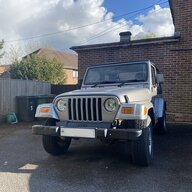
First timer here. Purchased my 2006 Sahara TJ in June. It was completely stock. I used this forum A LOT when doing research so thought I’d give back some information on a recent purchase I made that I couldn’t see or find anywhere else.
I spent the weekend tinkering and recently swapped out the old stereo in my TJ. I was reluctant to go full double din as personally, I don’t like the look of the big screens in the middle of the dash but did want to try and find a CarPlay solution and something that looked as ‘OEM’ as possible. I was also tight on budget. After much debate I pulled the trigger on one of the Android units that are all over eBay. Picked it up for about £120/$160ish. I know these units get a lot of stick and it puts people off hence I couldn’t find much info on this specific style beforehand, so here’s a quick breakdown in case it helps anyone else.

First impressions on the unit and install :
It’s very slim, so there’s a lot of room and easy cable management behind the head unit.
No ISO adapter needed as the harness on the unit plugged straight into the factory Jeep connectors. I was half expecting some wiring or additional cables, but it went in really cleanly.
It’s wireless CarPlay (and Android Auto) and comes with 2 USB connectors. One I fed into the glove box for any future software updates or troubleshooting. The other I threaded down behind the dash just behind the gear stick, so I’ve got a decent wired CarPlay option if I need it. I might re-route it into the centre console at some point, but I have a blown sub to work around.
The stock antenna plug isn’t the same as the one on these Android units, so I needed a DIN male to female extension cable that I had to connect under the steering column. But generally pretty idiot proof, which is great for me.
It also came with a load of extra cables, stuff for amps, CANBUS, sub outs, steering wheel controls, etc. I didn’t need any of that for my setup, but good to have in case I do for the future.
 .
. 
Performance:
Surprisingly, boot-up is super quick. It’s on the home screen almost instantly when the key is turned and I'm automatically in wireless CarPlay in about 10 seconds. It’s been solid so far. No lag, maps run smoothly, and it fits the dash really nicely without having to change the fascia or cut any housing.
Screen is nice and bright, pretty responsive (though miles from something like an iPhone).
Overall, if you want CarPlay / Android Auto without hacking your dash for a double din, this is a tidy option. Though nothing against a full double din install, just not for me. I will say, one thing I didn’t like was how inset the screen is from the front. Not a huge problem, but when you’re sat back you can’t see the very top of the screen. Not a massive issue. We’ll see if it holds up.


I also put in four new speakers. 4 x Kicker C54’s. Decent improvement over stock. Nice and clear - especially with more power from the new head unit and an equaliser to play with, but nothing major if I’m honest. Good for the price though. I haven't done any sound dampening that I've seen some people do. So maybe that might help.


Lastly, as I’ve seen a lot of people do I replaced the old cigarette lighter with a USB + USB-C port. Had to cut the original connector off and splice the wires together but it was simple enough and looks much cleaner now.

Overall some nice mods that I’m really happy with. I'd love to get more umph from my speakers, so maybe an amp or sub might be next... We'll see.
Let me know if you have any questions and I look forward to contributing more in the future!
Sam
First timer here. Purchased my 2006 Sahara TJ in June. It was completely stock. I used this forum A LOT when doing research so thought I’d give back some information on a recent purchase I made that I couldn’t see or find anywhere else.
I spent the weekend tinkering and recently swapped out the old stereo in my TJ. I was reluctant to go full double din as personally, I don’t like the look of the big screens in the middle of the dash but did want to try and find a CarPlay solution and something that looked as ‘OEM’ as possible. I was also tight on budget. After much debate I pulled the trigger on one of the Android units that are all over eBay. Picked it up for about £120/$160ish. I know these units get a lot of stick and it puts people off hence I couldn’t find much info on this specific style beforehand, so here’s a quick breakdown in case it helps anyone else.
First impressions on the unit and install :
It’s very slim, so there’s a lot of room and easy cable management behind the head unit.
No ISO adapter needed as the harness on the unit plugged straight into the factory Jeep connectors. I was half expecting some wiring or additional cables, but it went in really cleanly.
It’s wireless CarPlay (and Android Auto) and comes with 2 USB connectors. One I fed into the glove box for any future software updates or troubleshooting. The other I threaded down behind the dash just behind the gear stick, so I’ve got a decent wired CarPlay option if I need it. I might re-route it into the centre console at some point, but I have a blown sub to work around.
The stock antenna plug isn’t the same as the one on these Android units, so I needed a DIN male to female extension cable that I had to connect under the steering column. But generally pretty idiot proof, which is great for me.
It also came with a load of extra cables, stuff for amps, CANBUS, sub outs, steering wheel controls, etc. I didn’t need any of that for my setup, but good to have in case I do for the future.
. Performance:
Surprisingly, boot-up is super quick. It’s on the home screen almost instantly when the key is turned and I'm automatically in wireless CarPlay in about 10 seconds. It’s been solid so far. No lag, maps run smoothly, and it fits the dash really nicely without having to change the fascia or cut any housing.
Screen is nice and bright, pretty responsive (though miles from something like an iPhone).
Overall, if you want CarPlay / Android Auto without hacking your dash for a double din, this is a tidy option. Though nothing against a full double din install, just not for me. I will say, one thing I didn’t like was how inset the screen is from the front. Not a huge problem, but when you’re sat back you can’t see the very top of the screen. Not a massive issue. We’ll see if it holds up.
I also put in four new speakers. 4 x Kicker C54’s. Decent improvement over stock. Nice and clear - especially with more power from the new head unit and an equaliser to play with, but nothing major if I’m honest. Good for the price though. I haven't done any sound dampening that I've seen some people do. So maybe that might help.
Lastly, as I’ve seen a lot of people do I replaced the old cigarette lighter with a USB + USB-C port. Had to cut the original connector off and splice the wires together but it was simple enough and looks much cleaner now.
Overall some nice mods that I’m really happy with. I'd love to get more umph from my speakers, so maybe an amp or sub might be next... We'll see.
Let me know if you have any questions and I look forward to contributing more in the future!
Sam