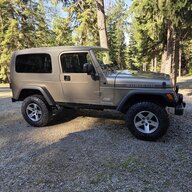
2005 TJ OPDA Question

Look up setting the engine to TDC in the service manual, get educated on how this all works. The OPDA being 180 degree out, the engine will run. I've done it. My experieance on the Crown sensor is fine. Just get your head straight on how it all works. Have fun cheers

 
Can't we just take the cover of the old OPDA off and line up the holes and put a screwdriver or something that fits snug in those holes to keep it in line and then remove the opda...?

You may or may not be able to get away with doing this - I was forced to do so when installing my new OPDA. The problem is that the hole in the tone wheel is small, but the hole in the bottom of the case is large - the plastic pin gives the best precision.
 
  • Like
Reactions: John Cooper
The crank pulley has a notch in it. You may have to remove the belt to find it.

The pointer is on the driver's side by the crank pulley.
 
1737163807075.jpeg
 
Set #1 cylinder on top dead center. A mirror will help to align the timing marks on the crank pulley but you'll have to do some checks to make sure it's actually at TDC as the harmonic balancer marks could potentially slip. The original OPDA should have the timing holes in it aligned. Clean the old OPDA off where it connects to the block. Clean around it well. Take a sharpie marker and make a line mark on the OPDA base and onto the block. This will help you align the new one. Unbolt the old OPDA hold down bolt and remove. A distributor hold down tool will make it easier if you have access to one. Take the old one and the new one and put them side by side. Make a sharpie mark on the new OPDA that corresponds to the same mark on the old one. This will help align the new one. Drop the new one in. You may have to pull it a time or two and adjust the oil pump. If you have to spin the oil pump a little, a large flat head screwdriver will do it. Once you get the sharpie marks on the new OPDA and the block closely aligned, tighten down the hold down bolt. Check everything and pull out the plastic pin. Start it and check everything.
 
Set #1 cylinder on top dead center. A mirror will help to align the timing marks on the crank pulley but you'll have to do some checks to make sure it's actually at TDC as the harmonic balancer marks could potentially slip. The original OPDA should have the timing holes in it aligned. Clean the old OPDA off where it connects to the block. Clean around it well. Take a sharpie marker and make a line mark on the OPDA base and onto the block. This will help you align the new one. Unbolt the old OPDA hold down bolt and remove. A distributor hold down tool will make it easier if you have access to one. Take the old one and the new one and put them side by side. Make a sharpie mark on the new OPDA that corresponds to the same mark on the old one. This will help align the new one. Drop the new one in. You may have to pull it a time or two and adjust the oil pump. If you have to spin the oil pump a little, a large flat head screwdriver will do it. Once you get the sharpie marks on the new OPDA and the block closely aligned, tighten down the hold down bolt. Check everything and pull out the plastic pin. Start it and check everything.

If the engine is correctly set at TDC, AND the OPDA is correctly lined up, there is no need whatsoever to mark its housing, You could put it in 180 degrees out (if that were mechanically possible) and it would be fine. Its all about the tone wheel's relation to the sensor and the TDC of the engine, the position relative to the block is un-important.
 
If the engine is correctly set at TDC, AND the OPDA is correctly lined up, there is no need whatsoever to mark its housing, You could put it in 180 degrees out (if that were mechanically possible) and it would be fine. Its all about the tone wheel's relation to the sensor and the TDC of the engine, the position relative to the block is un-important.

True but....it helps get everything aligned properly the first time and mounted just like the original one. In mechanical work there are things a mechanic can do that, while not required, will help make things easier to properly install. Lots of people have issues when installing their new OPDA. Mine is the first one I've installed. Mine worked perfectly the first time by following my install steps listed above. No one has to follow them but if you do, you'll almost certainly get it right the first time. I'm all about working smarter....not harder.
 
Last edited:
  • Like
Reactions: Zorba